Fill the form. Read the data back. Export it clean.
This is a small, real run of exactly the pipeline you're asking for: input rows come in (as if read from an Excel file), a headless browser logs the values into a live web form, the confirmation data is read back off the page, and the result lands in a clean CSV — one row per input record, nothing typed by hand.
How this run works
1
Read a row of input data (Excel-style: name, email, phone, address, etc.)2
Open the target page, fill every field automatically, submit3
Read the confirmation / result data straight back off the rendered page4
Append it to a CSV, ready for Excel or Google Sheets — repeat for the next rowTwo input rows, actually run
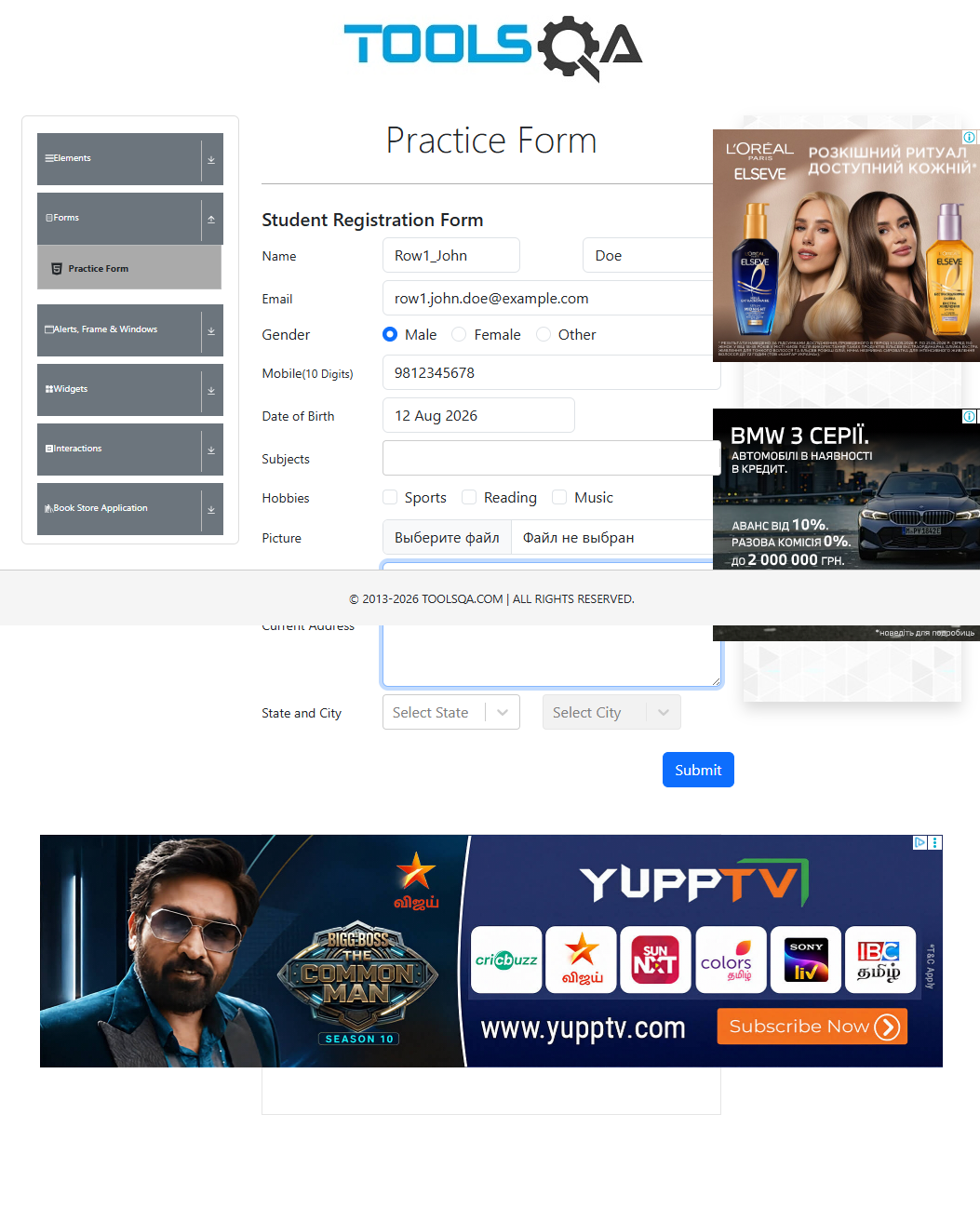
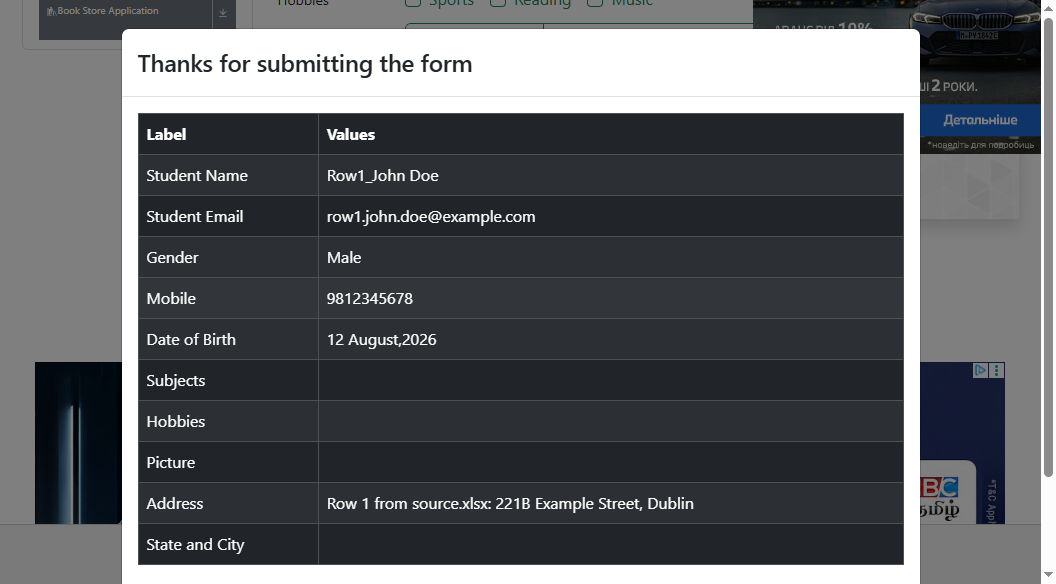
Second row, same run
No page was touched by hand between rows — same script, next record.
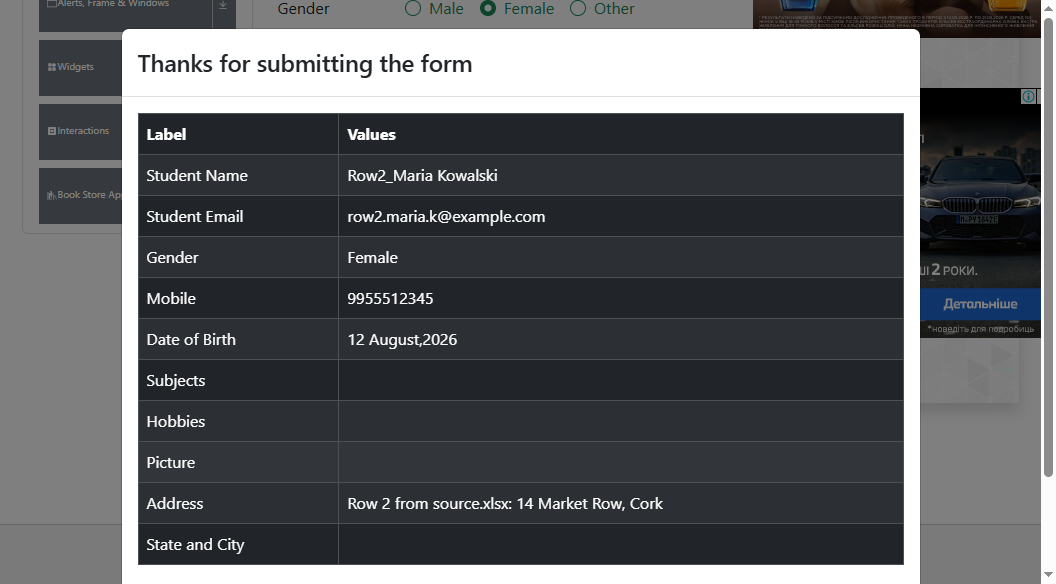
What came out the other end
Extracted live from both submissions above, not hand-typed
Download output.csv
| Row | Name | Gender | Mobile | Address | |
|---|---|---|---|---|---|
| 1 | Row1_John Doe | row1.john.doe@example.com | Male | 9812345678 | 221B Example Street, Dublin |
| 2 | Row2_Maria Kowalski | row2.maria.k@example.com | Female | 9955512345 | 14 Market Row, Cork |
What this looks like on your job
- Same shape, your portal: the target here is a public practice form so nothing of anyone's is touched — for your job the same script points at your authorized portal instead.
- Excel in, Excel/Sheets out: input read directly from your file, output written back to it or to a fresh sheet, mapped to the original rows.
- Built to keep running, not just to work once: retries on failed attempts, screenshots captured automatically on any failure, a run log for every attempt, and duplicate-safe re-runs.
- Handover: full source, a setup guide, and a short live test window before it's considered done.
Want this built against your actual portal?
Send the portal, a sample input file, and the fields you need back — this exact pipeline gets pointed at your data instead of a practice form.
guardlabs.online